Google Web Stories: How to Get Into Google Discover's Carousel
Google Web Stories appear as a tappable carousel in Google Discover — the feed on every Android phone and the Google app. Here's how small businesses can create Web Stories and tap into this low-competition traffic source.
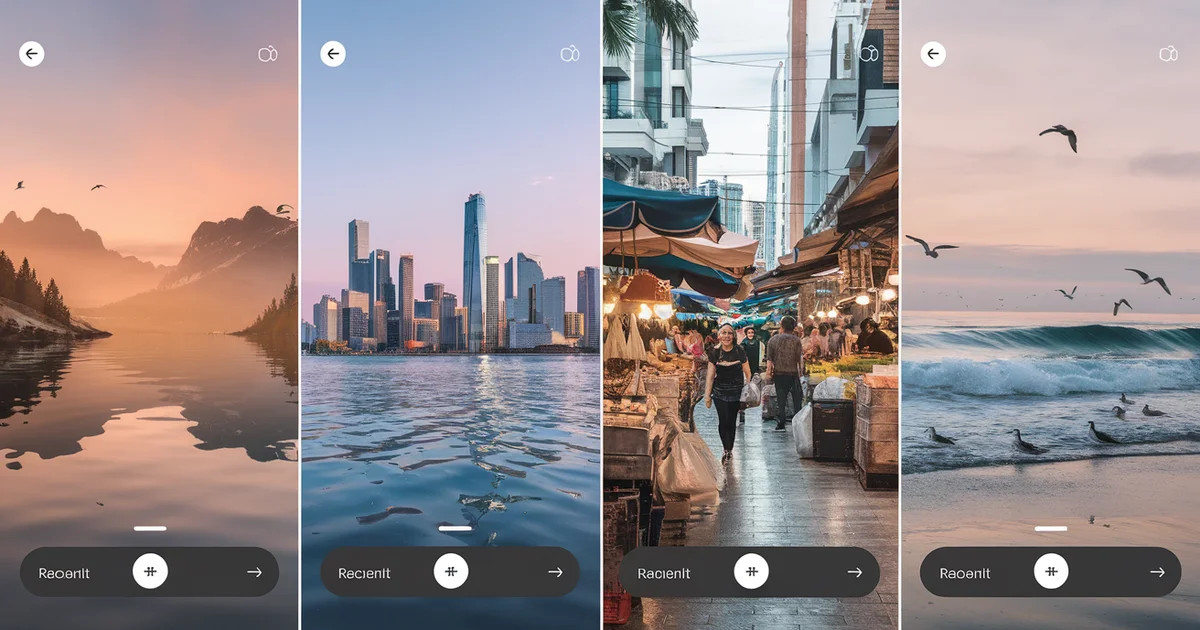
Open the Google app on any Android phone. Before you search for anything, you see a feed of content — articles, videos, and a horizontal carousel of tappable, full-screen visual stories. That carousel is Google Web Stories, and it is one of the least competitive traffic sources available to small businesses in 2026.
Web Stories are Google's answer to Instagram Stories and TikTok — full-screen, swipeable, visual content designed for mobile consumption. The difference: Web Stories live on your website, not on a social platform. You own the content, you control the monetization, and Google distributes them through Discover to millions of users who never searched for anything.
I implemented Web Stories across several sites in our network. The traffic from Google Discover — which requires zero SEO, zero keyword research, and zero backlinks — was significant enough to make this a standard part of our content strategy. Here is how to do it.
What Are Google Web Stories?
Web Stories are a free, open web format based on AMP technology. Each story is a series of full-screen "pages" (like slides) that users swipe through on mobile. Each page combines a visual (image or video) with short text — typically 1-2 sentences per page.
A typical Web Story has 8-15 pages and takes 30-60 seconds to consume. The format is inherently mobile-first, visual-first, and short-form — designed for the attention patterns of 2026.
Where Web Stories appear:
- Google Discover — the content feed on Android phones and the Google app (this is the primary traffic source)
- Google Search — Web Stories can appear in a dedicated carousel in search results
- Google Images — Stories appear in image search results
- Your own website — Stories are hosted on your domain and accessible via URL
The Discover placement is the most valuable because it is push-based, not pull-based. Users do not search for your content — Google pushes it to their feed based on their interests. This means your Web Story can reach users who have never heard of your business.
Why Small Businesses Should Care
Three reasons Web Stories are disproportionately valuable for small businesses:
1. Low competition. Most small businesses have never heard of Web Stories. The format is dominated by large publishers (news sites, recipe blogs, travel sites) but wide open for business, finance, e-commerce, and service niches. If you publish Web Stories in a niche where few others do, you get outsized exposure.
2. No SEO required. Google Discover does not use traditional ranking signals. It uses interest matching — showing content to users based on their browsing history and interests. A brand-new site with zero domain authority can get Discover traffic from Web Stories if the content matches user interests.
3. Visual format favors products. If you sell physical products, offer services with visual results (before/after), or create any content that can be shown visually, Web Stories are a natural format. A 10-page story showing "5 businesses you can start for under $97" with one business per page, a photo, and two sentences is perfect for the format.
How to Create a Web Story
Option 1: Google's Web Stories for WordPress plugin (easiest for WordPress users).
If you run a WordPress site, install the official "Web Stories" plugin by Google. It provides a drag-and-drop editor similar to Canva:
- Install and activate the plugin
- Go to Stories in your WordPress dashboard
- Choose a template or start blank
- Add pages with images, text overlays, and animations
- Publish — the story gets its own URL on your site
Option 2: Web Story editors (no WordPress required).
MakeStories (makestories.io) is a free web-based editor that exports Web Stories as HTML files you can upload to any website. The workflow:
- Create an account on MakeStories
- Build your story using the visual editor
- Export the HTML files
- Upload to your website in a
/web-stories/directory
Option 3: Hand-coded (for developers).
Web Stories are built with AMP HTML. A basic page structure:
<amp-story-page id="page-1">
  <amp-story-grid-layer template="fill">
    <amp-img src="background.jpg"
      width="720" height="1280"
      layout="responsive">
    </amp-img>
  </amp-story-grid-layer>
  <amp-story-grid-layer template="vertical">
    <h1>5 Businesses Under $97</h1>
    <p>You don't need thousands to start.</p>
  </amp-story-grid-layer>
</amp-story-page>
Content Ideas for Small Businesses
Web Stories work best with visual, list-based, or step-by-step content. Here are formats proven to perform in Google Discover:
"X Ways to..." lists. "7 Ways to Save on Business Taxes" — one tip per page with a relevant image. Financial tips perform exceptionally well in Discover because personal finance is a high-interest category.
Before/after showcases. "What a $97 Website Looks Like" — show the progression from blank page to finished site. Service businesses (landscapers, designers, contractors) can use before/after shots of their work.
Product spotlights. "5 Tools You Need to Launch a Business" — one tool per page with image, name, price, and a one-sentence description. End with a link to your full blog post.
Quick tutorials. "How to Register an LLC in 5 Steps" — one step per page. Keep text under 200 characters per page. Link to your detailed guide at the end.
Stat-driven stories. "The Real Cost of Starting a Business" — one statistic per page with a bold number as the visual focal point. "Average LLC formation cost: $132" with a simple background makes a compelling story page.
Optimizing for Google Discover
Google Discover surfaces content based on three primary signals:
1. Visual quality. Use high-resolution images (minimum 1200px wide). Avoid stock photos that look generic — Discover algorithms deprioritize content that looks templated. Original photos or well-designed graphics perform better.
2. Engaging cover image. The cover (first page) of your Web Story determines whether users tap on it in the Discover carousel. Use a compelling image with minimal text overlay — treat it like a thumbnail.
3. Topic relevance. Discover matches stories to user interests. Publish stories on topics your target audience is interested in — not necessarily topics they would search for. "What happens to your 401k when you quit" is a Discover-friendly topic because many people are interested in career transitions, even if they are not actively searching.
4. Freshness. Discover favors recent content. Publish new Web Stories regularly — even 2-3 per month maintains Discover visibility.
5. Metadata. Every Web Story needs:
- A descriptive title (under 70 characters)
- A poster image (the cover shown in the carousel)
- Schema markup (Web Story schema is added automatically by most editors)
- A canonical URL on your domain
Measuring Results
Web Story traffic from Discover appears in Google Search Console under the "Discover" tab. Look for:
- Impressions — how many times your story appeared in Discover feeds
- Clicks — how many users tapped on your story
- CTR — click-through rate (good Web Stories achieve 5-15% CTR in Discover)
In Google Analytics, filter by the /web-stories/ path to see engagement metrics — time on page, scroll depth (for stories that link to your blog posts), and conversion events.
Results From Our Network
After publishing Web Stories consistently for three months across our network:
- Average Discover impressions per story: 2,400 in the first 7 days
- Average clicks per story: 180-320 in the first 7 days
- Best-performing story: 12,000 impressions and 1,800 clicks in one week (a financial tips story)
- Ongoing traffic: Stories continue to receive Discover impressions for 2-4 weeks after publication, then taper off
- Cost to create: $0 (using MakeStories free tier and original photos)
- Time to create: 20-30 minutes per story
The traffic is not evergreen like SEO content — it spikes and fades. But the production cost is so low that even temporary traffic spikes are worth the effort. And each story links back to your evergreen blog content, creating a pipeline from Discover traffic to your permanent content library.
Your Implementation Checklist
- Choose a Web Story creation tool (WordPress plugin, MakeStories, or hand-coded)
- Create your first story using a list-based format (easiest to produce)
- Use high-quality images with minimal text overlay per page
- Publish the story on your domain in a
/web-stories/directory - Verify it appears in Google Search Console (check the Discover tab after 24-48 hours)
- Create 2-3 stories per month on topics your audience cares about
- Link every story's final page to a relevant blog post on your site
Google Discover is pushing content to millions of users every day. Web Stories are how you get into that feed without SEO, without backlinks, and without spending a dollar on ads. The small businesses that discover this channel are getting traffic their competitors do not even know exists.
This strategy is covered in more depth in The $97 Launch — including the complete content strategy for driving traffic to a new business without paid advertising. Buy The $97 Launch on Amazon.
