Calendar Marketing: ICS Feeds for Near-100% Event Visibility
Dynamic ICS calendar subscriptions deliver near-100% visibility for your events, launches, and content — compared to 20% email open rates. Here's how to implement calendar marketing for free.
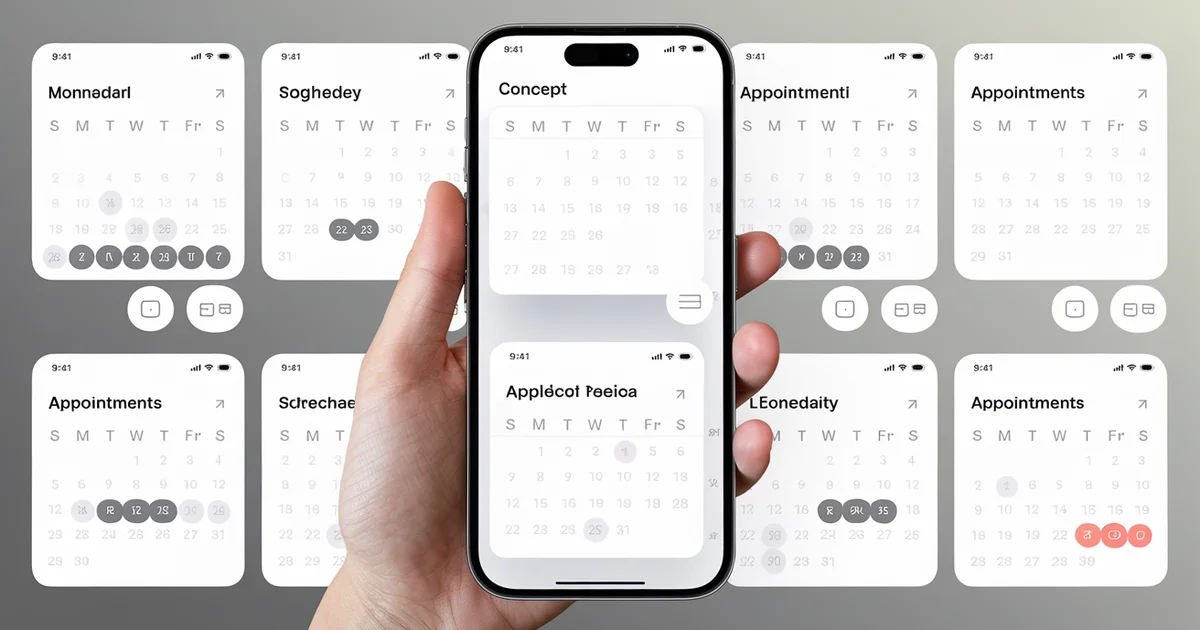
Email open rates average 20-25%. Social media organic reach is 2-5% of followers. But an event on someone's calendar? They see it. The visibility rate for calendar events approaches 100% — the event sits on their phone, their desktop, their watch, reminding them when it matters.
Calendar marketing is the strategy of distributing your events, launches, webinars, and content through ICS (iCalendar) subscription feeds. Instead of hoping someone opens your email or sees your social post, you put the event directly on their calendar where it cannot be ignored.
I set up ICS feeds for every book launch, content milestone, and promotional event across our 52-site network. The feeds are free to create, free to host, and require zero ongoing maintenance beyond updating the calendar with new events.
How ICS Subscription Feeds Work
ICS is the standard calendar file format supported by Apple Calendar, Google Calendar, Outlook, and every other major calendar application. An ICS file contains structured event data — date, time, title, description, location, URL.
There are two ways to use ICS files:
One-time download. A user downloads an .ics file and imports it into their calendar. The event is added once. If you update the event later, the user does not see the update.
Subscription feed. A user subscribes to an ICS URL. Their calendar application periodically checks the URL for updates. New events appear automatically. Changes to existing events are reflected automatically. This is the approach that makes calendar marketing powerful — it is a persistent, auto-updating channel.
When a user subscribes to your ICS feed, every event you add to the feed appears on their calendar without any action on their part. You add a book launch event to the feed in January, and it shows up on their calendar for the launch date in March. You add a free webinar, and it appears with all the details including a join link.
What to Put on the Calendar
Content and Launch Events
- Book launch dates with pre-order links
- Blog post publication schedule (e.g., "New article: [Topic] — read at [URL]")
- Free chapter releases or excerpt publications
- Product launch dates for tools, templates, or courses
Educational Events
- Webinars (free registration link in the event description)
- Live Q&A sessions
- Workshop dates
- Conference appearances
Industry Events
- Relevant industry conferences and expos
- Regulatory deadlines (e.g., tax deadlines for a finance audience)
- Seasonal milestones relevant to your niche
The most valuable ICS feeds mix promotional events (your launches) with utility events (industry deadlines, seasonal milestones). A feed that is 100% self-promotion gets unsubscribed. A feed that includes genuinely useful date-based information retains subscribers.
Creating an ICS Subscription Feed
Option 1: Google Calendar (Simplest)
Create a dedicated Google Calendar for your brand. Add events as needed. Make the calendar public and share the ICS subscription URL.
The subscription URL format is:
https://calendar.google.com/calendar/ical/YOUR_CALENDAR_ID/public/basic.ics
This is the fastest implementation — 15 minutes to set up, and adding events is as simple as adding to any Google Calendar. The trade-off is that you depend on Google's infrastructure and the URL is not branded.
Option 2: Self-Hosted ICS File
Generate an ICS file programmatically and host it on your own domain:
BEGIN:VCALENDAR
VERSION:2.0
PRODID:-//The $97 Dollar Launch//Events//EN
CALSCALE:GREGORIAN
METHOD:PUBLISH
X-WR-CALNAME:The $97 Dollar Launch Events

BEGIN:VEVENT
DTSTART:20260604T140000Z
DTEND:20260604T150000Z
SUMMARY:Live Q&A: Launching a Business for Under $100
DESCRIPTION:Free live session covering the most common questions about ultra-low-cost business launches. Join link: https://the97dollarlaunch.com/live
URL:https://the97dollarlaunch.com/live
LOCATION:https://the97dollarlaunch.com/live
UID:event-2026-06-04@the97dollarlaunch.com
END:VEVENT

END:VCALENDAR
Host this file at a predictable URL (e.g., https://the97dollarlaunch.com/calendar.ics). Calendar applications that subscribe to this URL will check it periodically for updates.
For static sites, you can generate the ICS file as part of your build process — adding events to a data file that gets compiled into the ICS format during deployment.
Option 3: Node.js ICS Generation
For dynamic ICS generation from a data source:
const ics = require('ics');
const events = [
  {
    title: 'Book Launch: The $97 Dollar Launch',
    start: [2026, 6, 15, 10, 0],
    duration: { hours: 1 },
    description: 'Official launch day. Get your copy at https://the97dollarlaunch.com',
    url: 'https://the97dollarlaunch.com',
    uid: 'launch-2026@the97dollarlaunch.com'
  }
];
const { value } = ics.createEvents(events);
// Write `value` to a .ics file
Promoting the Calendar Feed
Dedicated Subscribe Page
Create a page on your site explaining what the calendar feed includes and providing subscribe links for each major platform:
- Google Calendar:
https://calendar.google.com/calendar/r?cid=YOUR_ICS_URL - Apple Calendar:
webcal://yourdomain.com/calendar.ics(thewebcal://protocol opens Apple Calendar directly) - Outlook: Provide the ICS URL with instructions to add a calendar subscription
Email Signature
Add a calendar subscribe link to your email signature: "Subscribe to my event calendar: [link]." Every email you send becomes a distribution point for the calendar feed.
Blog Post Footers
Add a calendar subscription call-to-action at the end of blog posts: "Never miss a launch or free event — subscribe to our calendar feed."
QR Code
Generate a QR code for the calendar subscription URL. Include it in print materials, slides, and business cards. Scanning the QR code opens the calendar subscription dialog directly.
The Engagement Advantage
Calendar events have several unique engagement properties that email and social media lack:
Reminders. Calendar applications send automatic reminders before events — 15 minutes, 1 hour, 1 day. These reminders are system-level notifications that appear on the lock screen. You get multiple touchpoints per event without sending multiple emails.
Persistence. An email gets read (or not) once and then it is buried. A calendar event persists on the user's calendar until the date passes. For a book launch three months away, that is three months of passive brand visibility every time the user checks their calendar.
Context. A calendar event appears in the context of the user's own schedule. It is surrounded by their meetings, deadlines, and personal events — the most important information in their life. Your event sits alongside that information, which gives it psychological weight that a marketing email cannot match.
Cross-device. Calendar subscriptions sync across all devices — phone, tablet, laptop, desktop, watch. One subscription covers every screen the user owns.
Measuring Calendar Marketing
Direct measurement of ICS subscription counts is challenging because the protocol does not provide analytics. However, proxy metrics include:
- ICS file download/request counts — server logs or CDN analytics show how often the file is fetched
- Event URL click-throughs — if events include URLs, track traffic attributed to calendar sources
- Event attendance rates — for live events, compare registration to attendance for calendar-promoted vs. email-promoted events
In our network, events promoted through calendar feeds had attendance rates approximately 40% higher than events promoted only through email — even when the email list was significantly larger than the calendar subscriber base.
Calendar marketing is not a replacement for email marketing. It is a complementary channel that excels at time-based promotions — launches, events, deadlines, and seasonal campaigns. For a channel that costs $0/month and delivers near-100% visibility, the ROI is difficult to beat.
For the complete zero-cost marketing strategy, see The $97 Dollar Launch and The $100 Dollar Network.
